FrenschConnection Logo
0,00  0

Cart

No products in the cart.

  • Deutsch

FrenschPress

A professional controller with MIDI and network connectivity for theatre and live events

Plug & Play

No drivers or additional software needed

Dual USB-C

Simultaneous control of two systems

Network

Use OSC, sACN, ArtNet, HTTP, TCP

Details

 Aluminium & TPU

Solid aluminium housing with TPU protection. Made for tough daily use in live environments.

Robust Buttons

Three silent tactile mechanical buttons. Precise feedback for confident cue triggering.
RGB backlit.

32mm Encoder

A high-resolution 32 mm encoder with perfectly balanced tactile feedback. Designed for smooth, effortless scrolling through cue lists.

Dual USB-C

Benefit from full redundancy.
Control host and backup systems simultaneously, with zero latency.

Network

Integrated network interface supporting OSC, sACN, Art-Net, HTTP, TCP, and additional protocols.

Configuration

Use the web interface whenever you need to make changes. Easily accessible through any web browser.

Functions

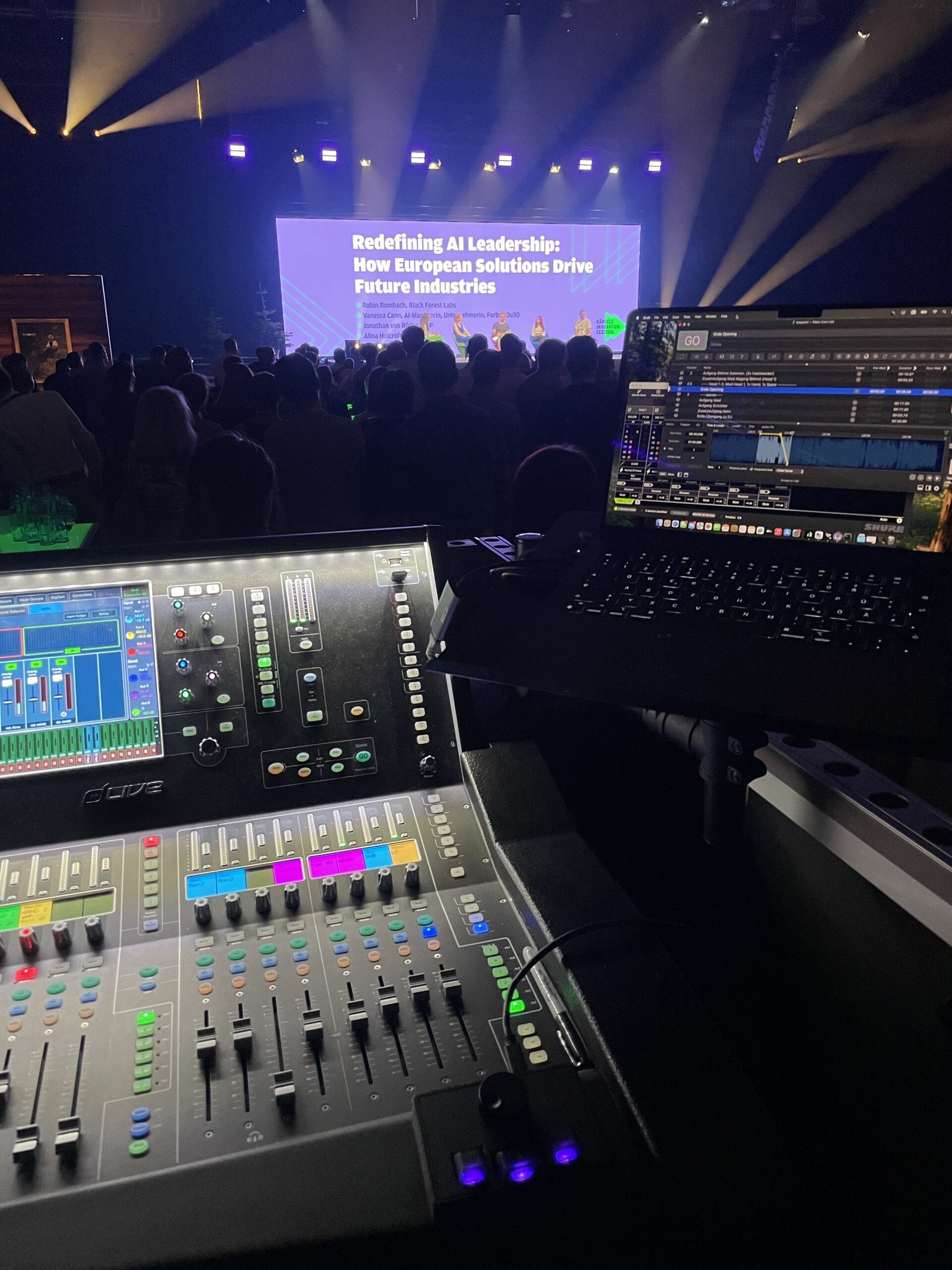
FrenschPress controlling Qlab at a live event

Qlab Mode

Plug & Play - Midi / OSC 
No matter which version of QLab you use, FrenschPress works instantly — plug and play.

No button mapping, no software, no drivers required.

Just connect it and you’re ready to go.
With two USB-C ports, you can optionally control two systems simultaneously with zero latency — ideal for productions where failure is not an option and a backup system is essential.

Alternatively, you can control QLab via OSC using the network connection. In this mode, the LEDs provide real-time feedback, indicating when a cue is running or paused. Full redundancy is also available.

Custom Mode

Your individual setup
Use your FrenschPress with anything that speaks MIDI, OSC, HTTP, TCP, Art-Net, or sACN. Control both hardware and software with ease.

Your creativity has no limits — from simple single commands to complex multi-step macros.

Use FrenschPress as an Art-Net or sACN DMX recorder for up to 10 universes. Take advantage of plugins and presets, or create your own and share them with others.

As flexible as you need it to be — and as easy to set up as possible.
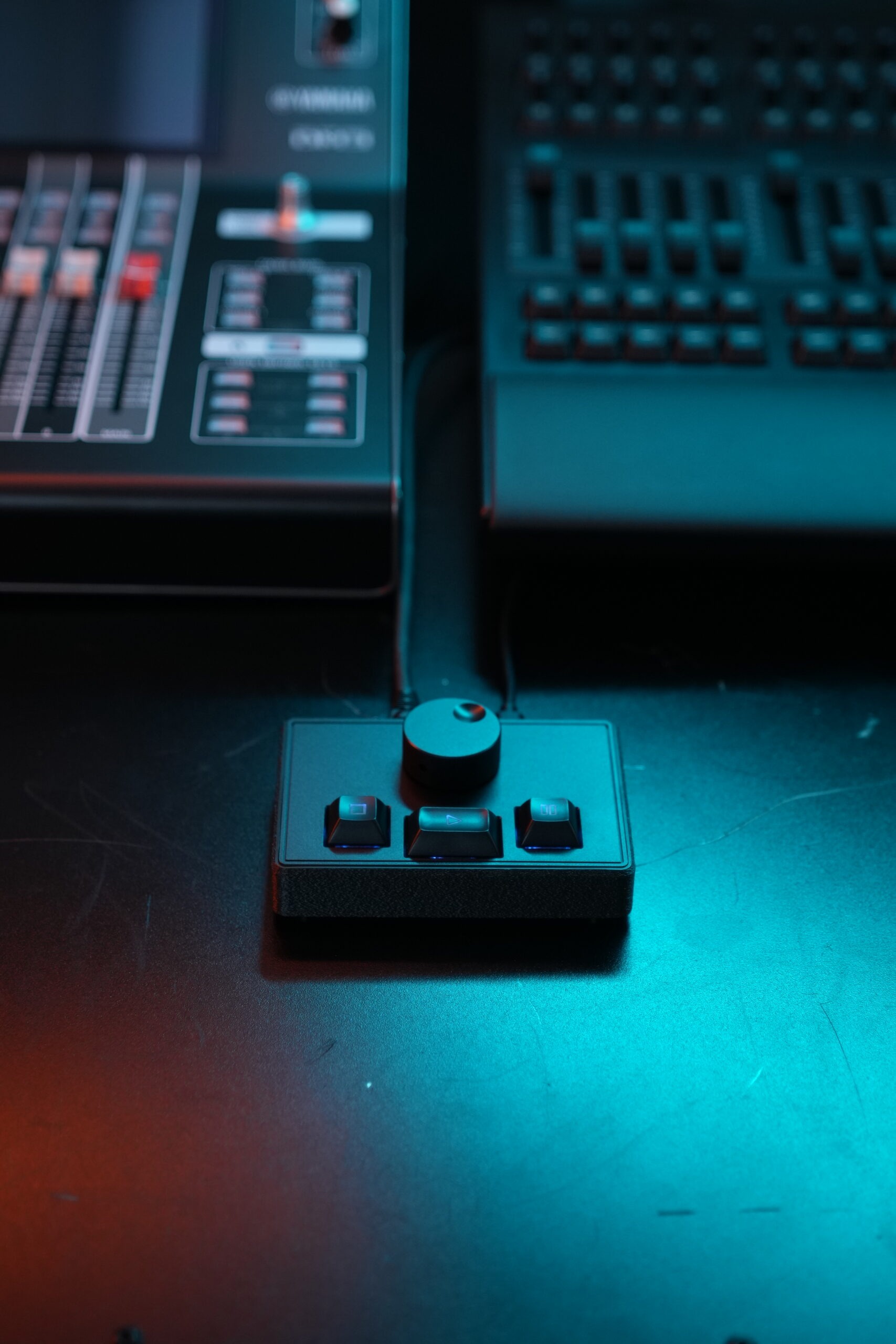
FrenschPress controlling a Yamaha Console and a GrandMa3 System using OSC

Companion Mode

FrenschPress as Surface
Use your FrenschPress as a surface for Bitfocus Companion.

Enter the IP address of the Companion host system and you’re ready to go. You can assign functions to every button and the encoder in Companion, and you can also control the LED colors of the keys as well as the feedback.

This way, the FrenschPress integrates seamlessly into your existing setup.

Protocols

MIDI

NOTE, CC, SYSEX, MSC, MMC, PC, MCU

OSC

Open Sound Control

ArtNet & sACN (e1.31)

Record & Playback of up to 10 universes

HTTP / TCP

TCP Midi, GET, POST, and more
FrenschPress isn’t about doing everything.
It’s about doing exactly what you need.

Frequently Asked Questions

FrenschPress is an ultra-compact USB MIDI and network controller focused on the essentials: one rotary encoder and three buttons.
It may sound simple — and that’s exactly the point. No overhead software, no complex layer mapping. Just plug it in and start working.
Despite its simplicity, FrenschPress is highly capable. It combines MIDI with network protocols such as OSC in a compact package that can be tailored down to the smallest detail to fit your workflow.

FrenschPress is designed primarily for people working behind the scenes — those who perform live, operate under pressure, or simply want a tool that works without getting in the way.
Theatre technicians, musicians, AV operators, creative nerds — anyone who needs a compact, reliable controller that integrates seamlessly into any setup without demanding attention.

No. This is not an AliExpress mystery box, nor a flimsy keyboard emulation like the ones often found on eBay or Etsy.
FrenschPress is built for professional users and communicates using real MIDI, OSC, Art-Net, sACN, HTTP, and TCP — not workarounds or hacks.
It works without special drivers, without background processes, and without requiring your software window to stay in the foreground.

If it speaks MIDI or OSC, FrenschPress is ready to work with it.
QLab, Resolume, Ableton Live, grandMA, Chamsys, Eos, and many more — no problem at all.
FrenschPress operates via USB MIDI with macOS, Windows, and Linux host systems, or as a standalone device on the network. Using TCP and HTTP, the possibilities are virtually limitless.

That’s exactly what it was built for. QLab works right out of the box — no configuration required. Plug and play.
Alternatively, you can control QLab over the network using OSC.
FrenschPress can send to two IP addresses simultaneously and features two USB-C ports, allowing you to operate two QLab systems in full redundancy — ideal for critical events where failure is not an option.

The controller is recognized immediately as a USB MIDI device — no installation required.

Alternatively, it can operate standalone on the network without a computer.
QLab mode always works instantly, right out of the box.

Everything else is configured through a simple web interface, accessible via Wi-Fi or Ethernet. MIDI notes, CCs, SysEx, OSC, macros, libraries with plugins and presets — it’s all there. Set it up once to match your needs. Save it as a preset.
Done.

A Stream Deck is a screen with icons and small, unstable buttons with no clearly defined actuation point. It was designed for content creators and streaming — not for FOH or live production environments.

It relies heavily on software, background services, profiles, and plugins — and it needs a host computer at all times.
FrenschPress is different by design. It sends real control protocols: MIDI, OSC, Art-Net, sACN, HTTP, and TCP — directly and without abstraction layers.

There is no companion app running in the background, no window that needs focus, and no dependency on a specific operating system or vendor ecosystem. It works as a USB MIDI device or as a standalone network controller.

FrenschPress focuses on tactile, reliable control for live environments — fewer controls, but precise, deterministic behavior. Less configuration overhead, more confidence under pressure.
That’s the difference.
It’s built to be used. No plastic, no “handle with care”: metal construction, buttons with a clear actuation point, and an encoder with real character.
In short, it’s a tool — not a toy.
FrenschConnection Logo
FrenschConnection GmbH

Helligestrasse 4A
79100 Freiburg

Phone: +49 (0) 761 21728146
Email: hello@frenschpress.de

Follow Us

© 2026 FrenschConnection - All rights reserved.

QLab Mode

FrenschPress kommuniziert mit QLab über Midi MSC Befehle. Da QLab auf diese standardmäßig reagiert, sind keine weiteren Einstellungen notwendig um die FrenschPress mit QLab zu verwenden. Einfach mit dem Rechner verbinden und los geht es. Plug & Play:

GO, STOP, PAUSE / RESUME, PREVIOUS / NEXT Cue, PREVIOUS / NEXT Sequenz

Das funktioniert auch wenn das Programm gerade nicht im Vordergrund ist - was z.B. bei einem Tastatur-mapping nicht geht. Deshalb kannst Du die FrenschPress z.B. auch dem Tourbegleiter an einem zweiten Bildschirm vor die Nase legen, während Du auf dem anderen Bildschirm etwas anderes machst. So kann er die Cues drücken und Du hast weiterhin Dein Spreadsheet mit dem Gesamtablauf im Blick.

Verbinde die FrenschPress mit zwei Rechnern gleichzeitig und Du hast ein vollständig redundantes Backup-System für Momente bei denen Fehler und Ausfälle keine Option sind. Die sind sowieso schon stressig genug, da müssen Sorgen ob der Zuspieler zuverlässig läuft nicht auch noch sein oder?

Ausserdem steht die Steuerung per OSC im Netzwerk zur Verfügung. Scanne das Netzwerk nach Qlab Hosts, wähle ein Master und optionales Backupsystem. Schalte in QLab die steuerung per OSC ein, nutze bei Bedarf Passcode und Workspace ID - Fertig. Egal wo Dein Qlab Server steht steuere ihn über Netzwerk.

Ein besonderes Highlight im OSC Modus ist das RGB-Feedback für QLab: So lässt sich z.B. der Status eines Cues immer an der Tasten LED ablesen – ohne dass du zusätzliche Konfigurationsschritte oder eine Drittsoftware benötigst.

QLab Mode

FrenschPress was built for QLab.

Using native MIDI MSC commands, QLab responds instantly without any setup or configuration. Just connect FrenschPress and you’re ready to run your show. Plug and play.

Trigger all essential commands with confidence:

GO, STOP, PAUSE / RESUME, PREVIOUS / NEXT Cue, PREVIOUS / NEXT Sequence.

Because FrenschPress communicates directly with QLab, it works even when QLab isn’t in the foreground. Hand control to an assistant on a second screen while you keep your focus on the bigger picture.

With dual USB-C connections, FrenschPress can control two QLab systems simultaneously — delivering true redundancy for high-pressure productions where failure simply isn’t an option.

Prefer network-based control? Use OSC to operate QLab over the network. Discover available QLab hosts, assign a master and backup system, and take control from anywhere.

In OSC mode, FrenschPress even talks back: The RGB LEDs provide instant visual feedback on cue status — running or paused — without plugins, drivers, or extra software.

Reliable. Predictable. Built for live performance.

Custom Mode

FrenschPress can be fully tailored to your exact needs.

Using the intuitive web interface, you can assign a dedicated function to the encoder and each button. Choose from MIDI (Note / CC / SysEx), OSC, HTTP, TCP, Art-Net, and sACN (E1.31) commands. Three configurable sets are available, allowing you to switch button functions instantly at the press of a key.

Create macros that trigger multiple steps across different protocols, or keep things simple with single commands. Use FrenschPress as a DMX recorder and playback device for up to 10 universes simultaneously via Art-Net or sACN — ideal for quickly switching between lighting consoles during live operation or for controlling house lights.

A growing plugin library is available, continuously expanded with new integrations. These plugins provide ready-made command blueprints for specific software or hardware, often including presets with sensible default button layouts.

Assign individual colors to each button to stay oriented at a glance, and you’ll have everything you need to get the job done. Once configured, all settings are stored directly on the device and ready for your next event.

Switching between QLab mode and Custom mode is handled via a simple key combination — no need to reopen the configuration interface.

Simple, right?