
Running a Stream Deck without a computer
A Stream Deck normally needs a computer. The Elgato software or Bitfocus Companion runs on it and tells the keys what to show and what to do. At FOH that’s one more computer that has to keep running. There are ways to run a Stream Deck without a computer of its own, though.
The options
Elgato Network Dock: The Network Dock puts a Stream Deck anywhere on a network cable with PoE. The software still runs on a computer on the network, just not right next to the deck. According to Elgato it works with the Stream Deck app, Bitfocus Companion and Bitfocus Buttons.
Companion on a Raspberry Pi: With CompanionPi, Bitfocus offers a ready-made image for the Raspberry Pi 4B, a small computer that runs only Companion. You can build a lot with it, but you have to set up and maintain the Pi.
Directly on a controller: Our show controller runs a Stream Deck itself, with no computer and no Elgato software. That’s what the rest of this article is about.
Stream Deck on the FrenschPress
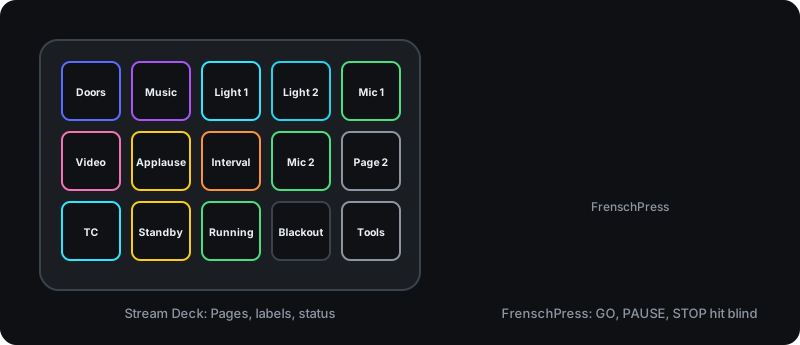
The Stream Deck goes into the second USB port. Since the FrenschPress doesn’t supply power there, you need a USB OTG Y-cable or an active hub, with one branch going to a power supply. Then you enable USB host mode in the web interface, and the deck appears with its own page.
Supported models are Stream Deck MK.2, 2019, Scissor Keys, 15-Key Module and Stream Deck +.
What you can do with it:
- Assign keys to macros: OSC, MIDI, HTTP, TCP, Art-Net, sACN. Each key gets a label, colour or image, for its idle and active state.
- Up to four pages and layouts to switch between.
- Displays on dedicated rows of keys: the running timecode, the states of STOP, GO and PAUSE, and a QLab display with the standby cue and the remaining time of the running cue. The QLab display needs the OSC connection to QLab.
- Settings on the deck: a tools menu on the reserved key at the bottom right opens network, timecode, mode, brightness and more, without a browser.
- Stream Deck +: each of the four dials gets its own macros, and the touch strip shows labels and responds to taps and swipes.
When the FrenschPress runs in Companion mode, the attached deck comes along to Companion as an additional surface.
Worth knowing
- The second USB port is then no longer a MIDI port. MIDI keeps running over USB 1, RTP-MIDI and the network.
- Without a Y-cable or active hub, the deck gets no power.
- Stream Deck models other than those listed above aren’t supported.
Why this combination
A Stream Deck shines when you need lots of different functions with labels: playback, lighting looks, microphones, a page for each part of the programme. For GO we prefer a mechanical key with a clear actuation point that we can hit without looking. We explain why in more detail in Stream Deck and QLab. Together, the two cover what we need at FOH. For a fixed setup there’s a housing that joins both.